How It Started
It began with a flatpack box full of aluminum extrusions, stepper motors, and a 40-page assembly manual. The Creality Ender 3 was my initiation — a rite of passage that hundreds of thousands of makers have endured before me. Hours of tightening eccentric nuts, tensioning belts, and manually tramming a glass bed to within a sliver of level. First prints failed. Then they didn't. Slowly, something clicked — not just mechanically, but creatively.
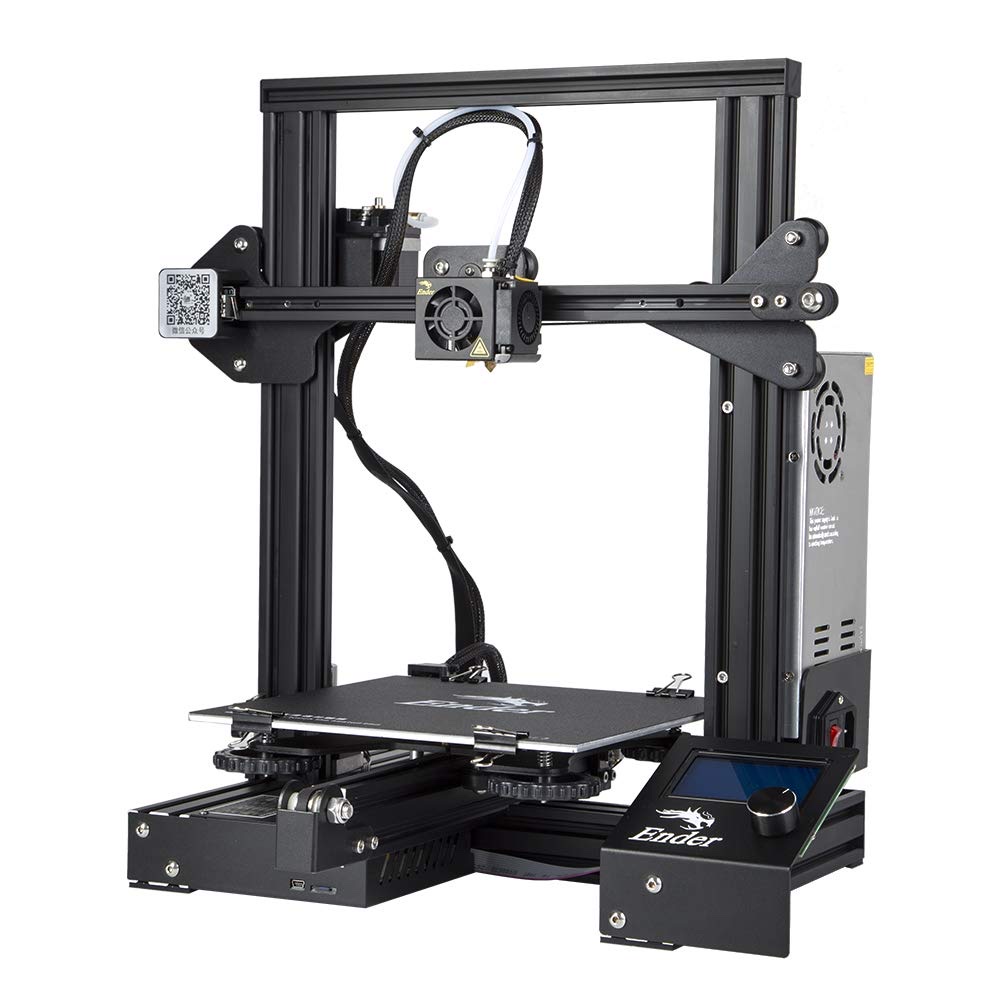
I discovered Fusion 360 — Autodesk's parametric CAD software, which lets you model precise 3D geometry by defining dimensions and relationships rather than just pushing vertices around — and learned that the real power of 3D printing isn't in buying pre-made models. It's in designing exactly the object you need, the precise size it needs to be, for the exact problem in front of you. My printer became a tool for thinking in three dimensions.
"The Ender 3 didn't just teach me to print — it taught me that a well-calibrated machine is a direct extension of your imagination."
Enter the Bambu Lab A1
After four years of running and maintaining the Ender 3, I was ready for a change. I had been reading about the Bambu Lab A1 — and my first reaction was skepticism. A printer that "just works" in minutes? For such a low price? It sounded like marketing hype. But the mounting repair bills on the Ender 3 finally wore me down, so I ordered one.
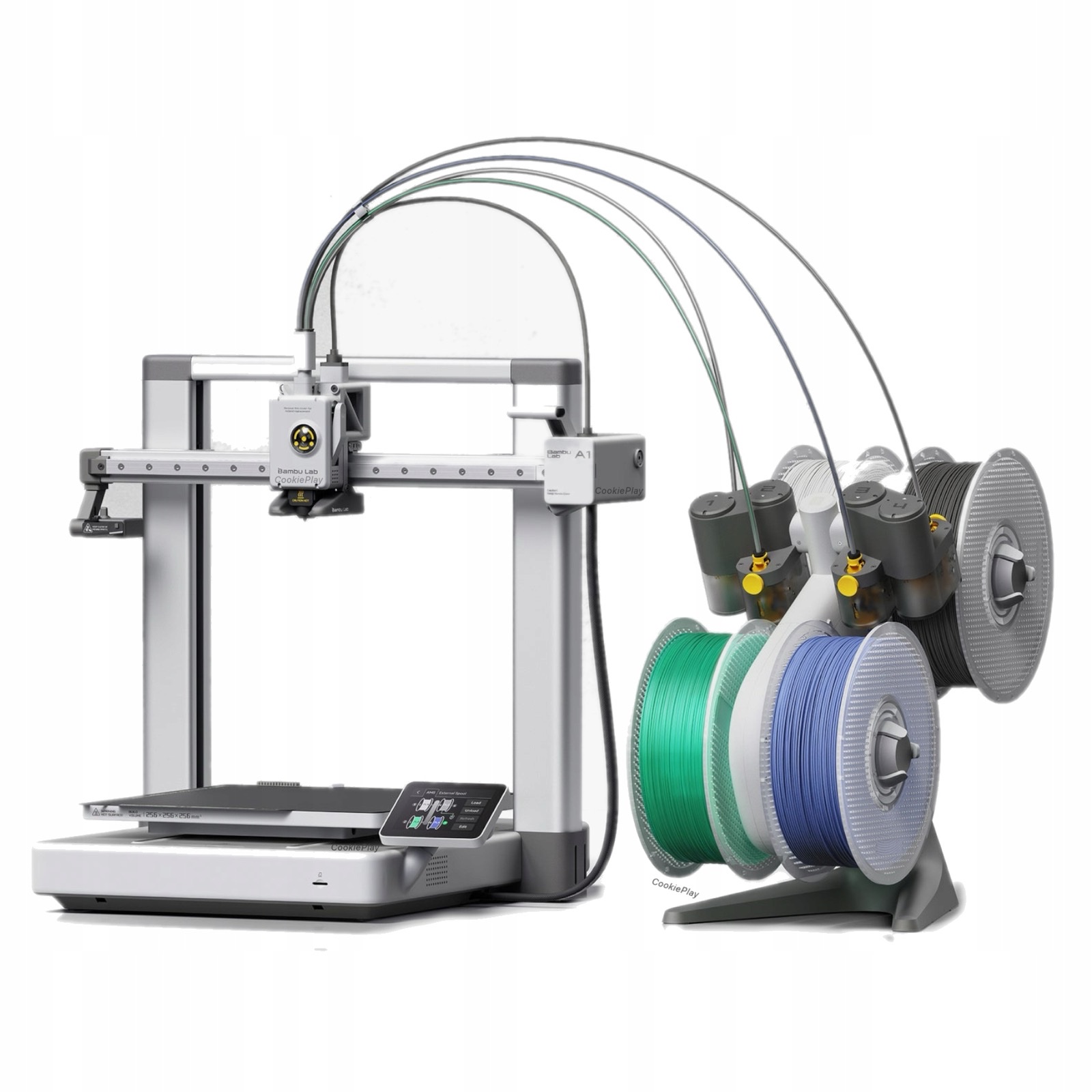
Assembly took minutes, not hours. The Bambu Lab A1 did not disappoint on its first print. After running through its automated calibration sequence — vibration compensation, flow rate calibration, and a full bed mesh with its 49-point automatic leveling — all without me touching a thing, it was time to print. Then the print started, and I just stood there grinning. Coming from a Creality Ender 3, the A1 felt like a different species entirely: it sliced through travel moves at speeds that would have shaken the Ender 3 to pieces, yet the whole machine ran with a surprisingly hushed, almost library-quiet hum. Watching that first layer go down — clean, consistent, adhered perfectly — I knew this was going to change how I think about desktop fabrication.
What makes this machine so different isn't magic; it's a dense stack of engineering innovations that Bambu Lab — a company founded by ex-DJI engineers — packed into a surprisingly compact chassis.
The Technology Inside the A1
The A1's leap in quality and reliability comes from several interconnected technical advances working together:
Full-Auto Calibration
The printer handles every calibration routine on its own — bed leveling, Z-offset, vibration compensation, and flow rate — before every print. Zero manual tuning required.
Active Flow Rate Compensation
A high-resolution eddy current sensor continuously measures nozzle pressure and actively compensates the extrusion flow in real time, dramatically improving accuracy at speed.
Vibration Compensation (Input Shaping)
An accelerometer measures frame resonance and the firmware actively cancels vibration artifacts — the "ringing" ghosting that plagues fast FDM printers — enabling much higher speeds without quality loss.
Filament Tangle Sensor
A sensor monitors the spool feed path and pauses the print automatically if a tangle is detected — a reliability feature uncommon at this price point and invaluable for long overnight prints.
Silicone Nozzle Brush
Before calibration and between filament changes, an integrated silicone brush cleans the nozzle tip automatically — ensuring a clean start and consistent first layers every time.
Wi-Fi, Camera & Remote Control
Built-in Wi-Fi connects to Bambu Studio on desktop or the Bambu Handy app on mobile. A built-in camera lets you remotely monitor prints and automatically generates timelapse videos.
AMS Lite Multi-Color System
The Combo version includes the AMS Lite — an Automatic Material System that handles up to four filament spools, enabling seamless multi-color printing without manual swaps.
Under 49 dB Silent Mode
The A1 operates at roughly the noise level of a quiet library. Full-metal linear rails and precision bearings, combined with firmware-level motor tuning, make it genuinely unobtrusive.
| Spec | Creality Ender 3 | Bambu Lab A1 |
|---|---|---|
| SETUP TIME | 3–5 hours (kit build) | ~15 minutes |
| BED LEVELING | Manual, frequent | Fully automatic |
| PRINT SPEED | ~50 mm/s typical | Up to 500 mm/s |
| FLOW CONTROL | Fixed, manual tuning | Active real-time compensation |
| CONNECTIVITY | SD card / USB | Wi-Fi, app, remote camera |
| NOISE LEVEL | ~55–65 dB | < 49 dB (silent mode) |
| MULTI-COLOR | Single color only | Up to 4 colors (Combo w/ AMS Lite) |
What I've Made
Better hardware doesn't design better objects — that still takes time, experimentation, and a clear idea of what you actually need. Fusion 360 has been my design environment throughout, and over the years I've found that the best prints solve a specific, real problem elegantly. Here's a selection of projects I'm proud of:
-
01
Hi-Fi Cabinet Feet — McIntosh Amplifier Support Custom-designed extra feet to distribute the considerable weight of a McIntosh amplifier across the cabinet without stress concentration. Precision-fit to existing furniture geometry.
-
02
Dust Collection Fittings — Shop Tool Integration One-off adapter fittings connecting shop tools to the dust collection system. The kind of parts that simply don't exist commercially for specific tool/hose combinations.
-
03
Seed Drying Drawers & Storage Rack — SeedPop A modular system of open-lattice drawers and a free-standing rack designed for my wife Julianne's heirloom seed Etsy store, SeedPop. Purpose-built for drying, sorting, and storing seed stock at the scale a small business demands.
-
04
Socket Organizers — Toolbox Drawer Inserts Snap-fit organizer inserts with per-socket sizing, keeping 1/4", 3/8", and 1/2" drive sockets sorted and visible at a glance.
-
05
Miniature Screwdriver Caddy A compact tabletop holder for a full set of precision screwdrivers — each slot sized individually so every driver is accessible and nothing rolls off the bench.
-
06
Surprise Gifts for Allie — Flexi-Animals & More A running series of little things I printed for my daughter just because I thought she'd love them — articulated flexi-raccoons, other cute flexi-animals, and various whimsical designs. None of them were requested. That's half the fun.
-
07
Adjustable-Length Wide BBQ Feet — Sarasota Sandy Backyard Wide-footprint, adjustable-length leveling feet for the grill, designed specifically to resist sinking into sandy soil and allow independent height adjustment on each corner. Printed in PETG for UV and heat resistance.
-
08
Numerous Silly Toys & Distractions Miniature crossbows, holiday decorations, simple flutes and other barely-musical instruments, whistles, crab-shaped pen holders. None of these solved a problem. All of them were worth printing.
What the Journey Has Taught Me
Going from the Ender 3 to the Bambu Lab A1 isn't just a hardware upgrade — it's a shift in how much mental energy you spend on the machine versus the design. The Ender 3 was a teacher. The A1 is a tool that gets out of the way.
Both have their place. Understanding what makes a 3D printer work — belt tension, extrusion multipliers, layer adhesion, first-layer squish — makes you a better designer even when you're using a machine that handles all of that automatically. You know why it's doing what it's doing.
The real revelation of this hobby isn't the technology. It's the moment you realize the gap between an idea and a physical object has narrowed to an afternoon in Fusion 360 and a few hours of unattended printing. That's a genuinely new kind of capability, and I'm still finding new problems to solve with it.