There's a certain kind of confidence that comes from knowing your house will tell you when something's wrong before you notice it yourself. Not the smoke-detector kind — more like a fifteen-year-old server fan in your hot garage spinning a few hundred RPM faster than it should, and a dashboard somewhere quietly turning yellow before anyone smells anything.
I owe that confidence to Zabbix, open-source monitoring software that's spent the last few weeks turning itself into the most opinionated resident of my home network. Right now it's watching forty-three devices and asking them a little over five thousand questions on a recurring schedule. It keeps track of what “normal” is supposed to look like for almost everything I own that plugs into a network.
What Monitoring Software Actually Does
Most people don't manage a complex IT network environment in their homes, so “monitoring software” probably sounds abstract, so let me explain. My house is full of technology — three physical servers running my virtual machines, the firewall guarding the network, a handful of websites (one for my IT consulting business, the rest for a few ham radio clubs, personal and family stuff), a Raspberry Pi Server with a pair of USB audio transcoders, and six Minecraft servers my kids and their friends play on. Every piece of it is constantly producing little facts about itself. How hot is this CPU right now? Is this fan spinning the speed it's supposed to? Is the website firewall actually turned on? Did a RAID controller just notice a bad disk?
Left alone, all of that just evaporates into log files nobody reads until something's already broken. Zabbix's job is to ask those questions on a schedule, remember the answers, and know what a bad answer looks like. A fan running at full speed isn't broken by itself. A fan running at full speed for six hours straight on a server that should be sitting idle is worth an email.
A dashboard is basically a professional tattletale. It takes “187°F” and turns it into the one thing a human actually responds to: a blinking red light that says “go check that server before it starts a fire.”
Underneath all of it is a pretty ordinary mix of home network hardware. Proxmox handles the virtualization. An OPNsense firewall, open source like Zabbix (a philosophy I keep circling back to), runs on a small fanless Protectli box at the edge of the network. The switches are Cisco, bought on Amazon instead of through some enterprise reseller. The WiFi network is D-Link, tied together with a real hardware controller instead of a pile of unmanaged access points. Internet comes in over 2Gbps Verizon Business fiber, and it's honestly been rock solid. But Sarasota has an extra season most of the country doesn't have to plan around: hurricane season. That's exactly the kind of thing that can take out even the most reliable fiber line, which is why a SpaceX Starlink arrived recently as backup. The OPNsense firewall is set up to fail the whole house over to satellite automatically if the fiber line ever drops. Backup internet isn't a nice-to-have down here. It's the difference between riding out a storm and going completely dark. Bonus: it will also travel with our Airstream — even when we're not fleeing from an approaching hurricane.
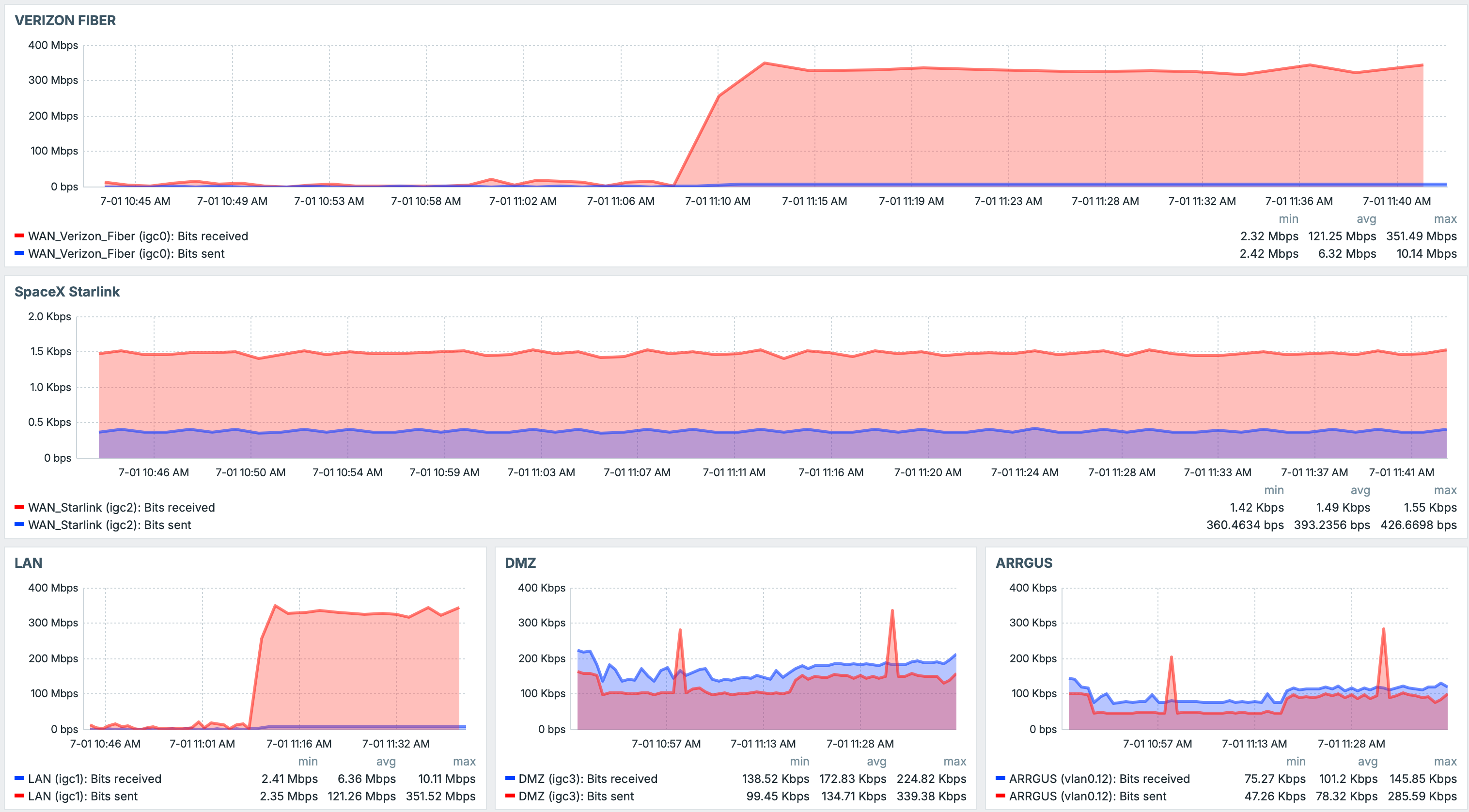
If all of this sounds like more infrastructure than one household needs, it is. This is what happens when an enterprise IT engineer with three decades of habits, and, I'll admit, a bit too much spare time on his hands, builds himself a home network: redundant internet, a clustered hypervisor, a real firewall, managed switching, and now a monitoring platform on top of the whole thing. It's more elaborate than what most of the businesses I've consulted for over the years actually run.
What Came in the Box, and What Didn't
Zabbix ships with an enormous library of built-in templates — pre-written question sets for thousands of common products. Point it at almost any mainstream piece of enterprise gear, a Cisco switch, an AWS account, a Dell server, a VMware cluster, even a specific UPS battery model, and there's already a template waiting for it.
My home network doesn't really qualify as mainstream enterprise gear, though.
Out of the Box
What Zabbix Ships With
- Thousands of templates for AWS, Azure, Cisco, VMware, Dell, HPE
- A generic catch-all for any plain Linux server
- Nothing for a 2011 server's RAID and fan health
- Nothing for a personal ham radio digital-voice hotspot
- Nothing for a homemade AMBE transcoder feeding a phone app onto the reflectors
- Nothing for a kids' Minecraft server fleet
- Nothing that already knew my specific switches, APs, and NAS
In the Rack
What I Actually Needed
- A 3-node cluster of HP servers almost old enough to vote
- A Raspberry Pi Zero running a Pi-Star hotspot for my ICOM D-STAR radio
- A Raspberry Pi 5 running six channels of AMBE transcoding for the Peanut app
- Four reflectors linking ham radio clubs across three regions
- Six Minecraft servers
- A web firewall guarding five public websites
- Four managed switches, four wireless APs, and a NAS holding every backup in the house
Seven blank spots, thirteen templates once you count every switch model and every service sharing a host separately, and none of it had ever crossed Zabbix's radar. So I built them myself, with Claude Code doing a lot of the heavy lifting.
Teaching an AI to Read Hardware It's Never Seen
This is probably the interesting part, if you've ever wondered what “AI-assisted infrastructure work” looks like once you get past the sales pitch.
Each of these systems already has some way of telling you how it's doing — you just have to know which command to run and how to read what comes back. The old HP servers have a command-line storage tool that reports RAID health. The Pi-Star hotspot exposes its service status through systemd and a handful of log files. The reflector software keeps its connection state in a process you can query. The web firewall logs every blocked request to a file that a separate ban-tracking service also watches. Nothing exotic there. What's tedious is turning “run this command, parse this line, decide what counts as bad” into something that gets checked automatically every few minutes, forever, without me babysitting it.
System by system, here's what Claude Code and I built together: read each tool's real output, write a monitoring item for every value worth tracking, group the repeating ones (drive bays, RAID volumes, network ports) into auto-discovery rules so new hardware shows up on its own, and then argue, line by line, about what severity each failure deserves.
That part mattered more than I expected going in. A fan running at max speed is annoying, sure, that's a warning-level thing. But a RAID battery sitting in a degraded state is a completely different animal. Ignore that long enough and you're looking at real data loss, so it gets flagged as a full-blown disaster. Getting that judgment call right, over and over, ends up being the whole difference between a monitoring system you trust and one you eventually learn to tune out and ignore.
Thirteen Templates, Built From Nothing
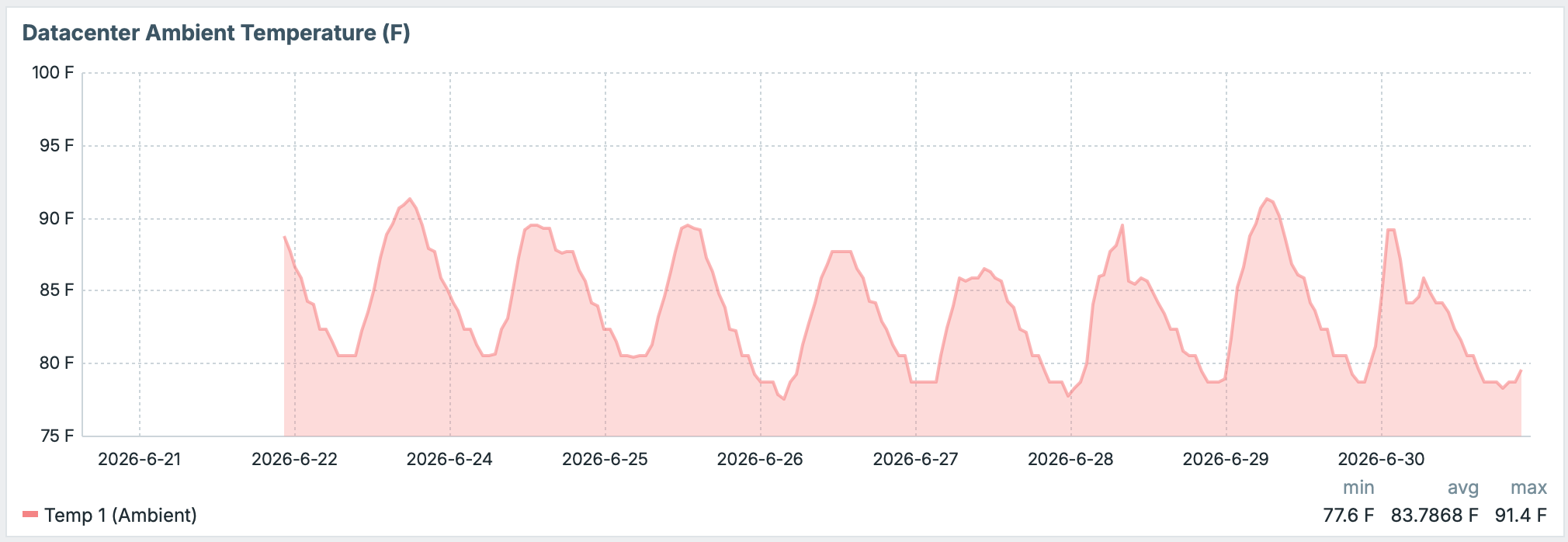
HP DL360 G7 Hardware: covers all three nodes of the Proxmox cluster that hosts nearly everything else in this story: three somewhat ancient DL360 G7 servers, each with 192GB of RAM and six 600GB drives spinning at 10,000 rpm in a RAID 50 array, bought used on eBay more than a decade ago and still earning their keep. Eighteen alert conditions watch fan blocks, dual power supplies, ambient and CPU temperature, the chassis health LED, memory status, and the whole RAID stack — controller, cache, battery, every logical drive and physical bay — auto-discovered so a freshly swapped disk just shows up on the dashboard without me touching a config file.
Minecraft Service: is the one with the lowest blast radius and the highest household visibility, running across all six PaperMC servers we host at AwesomeHeroSteve.net. It tracks players online, server version, and whether each background process is still up. To me that's a server process failing. To my kids, it's the entire weekend ruined.
ModSecurity Web Application Firewall Monitoring: watches the firewall in front of five public websites: how many attacks it's blocked in the last 24 hours, how many IPs are currently banned, whether the rule feed is still updating itself. The check that matters most is the simplest one — if the rule engine that actually does the blocking ever gets flipped to off, or drops into detection-only, without me doing it on purpose, that fires the single highest-priority alert the template has. A firewall that quietly stopped firewalling is worse than no firewall at all, because you'd never think to go check.
OPNsense SNMP: is a different animal from the ModSecurity template above — it watches the firewall box itself rather than what's happening behind it. CPU utilization, memory, and every monitored interface's throughput and operational status, all auto-discovered. This is the same box that's supposed to fail the whole house over to Starlink the moment the fiber line drops, so knowing its CPU and memory aren't quietly maxed out matters just as much as knowing the WAF is still enforcing.
Pi-Star MMDVM: watches a Raspberry Pi Zero that sits on the desk in my office. Pi-Star's software can bridge half a dozen digital voice modes, but this particular hotspot is personal: it's what gets my ICOM D-STAR radio onto the wider amateur radio network. The template covers Wi-Fi signal, free memory, every gateway service's health, and even the last callsign heard over the air.
AMBEServer & Raspberry Pi 5: is a second Raspberry Pi, a Pi 5 this time, living out in the garage, which in Sarasota, Florida means it spends a good chunk of the year sitting in genuinely hot air — so the CPU temperature check on this one is less of a formality than it would be almost anywhere else. It has a pair of USB AMBE vocoder dongles plugged into it. It provides six channels of AMBE transcoding so people can connect to two of my XLX reflectors straight from their phone, using an app called Peanut, no radio or hotspot hardware required on their end. Two templates split the monitoring: one watches the six UDP ports the transcoders bind to and the two AMBEServer systemd instances behind them, so if a channel stops listening, that's the alert; the other watches the Pi 5 hardware itself, core voltage rails, CPU clock scaling, and under-voltage detection, because a Raspberry Pi that's browning out is a Raspberry Pi that's about to silently stop transcoding.
XLX Reflector: is the deepest cut of the bunch and the one with the widest reach. I run four separate XLX reflectors that support ham radio clubs in Orlando, Canada, and Georgia — with hotspots connecting from all over the world — each one is basically a meeting point where digital voice nodes and hotspots from an entire club's membership talk to each other across protocols. One template, applied four times, watches every network port that mix of protocols depends on, nine alert conditions per reflector. If even one port on one reflector stops listening, that club loses part of its network, and now the dashboard knows within minutes instead of someone three states away noticing the silence.
Ham radio operators have a phrase for a reflector nobody's watching: “it's probably fine.” I got tired of finding out otherwise 30 minutes before the club's weekly net meeting.
Cisco CBS250 & CBS350 Switching: three template variants for the three switch models actually in the rack and on the desk, covering four physical switches. Each one watches CPU utilization, PoE power budget and consumption (since these switches are what feed the access points their power), and every named interface, auto-discovered, for link state and throughput, along with the temperature sensor and its own device-configured thresholds. A port that silently drops to down, or a switch that's suddenly maxed out its PoE budget, shows up on the dashboard instead of during a family member wondering why the WiFi in one room stopped working.
TP-Link EAP245 Wireless: covers the four access points spread through the house, tracking wireless and secondary-network client counts alongside per-interface link state. It's a small template, six checks total, but it turns “the WiFi feels slow in the office” into an actual number: which AP, how many clients, right now.
Synology DiskStation: the deepest template of the bunch, eighty-two items on a single host, because this NAS is where the whole household's redundancy actually lives, Proxmox backups and the entire Roon music library included. It tracks every disk's SMART health and temperature individually, RAID volume status, storage pool usage, CPU and memory, fan and power status, and even whether a DSM update is waiting. If the backup target itself is degraded, it doesn't matter how healthy anything else on the network looks.
Why Bother
None of this is enterprise-critical infrastructure. Nobody's business folds because a Minecraft server hiccups for ten minutes. But that's almost the point: the stuff worth quietly watching isn't always the stuff with the biggest price tag. It's whatever people in your life actually rely on without thinking about it: the one website that pays some of the bills, because clients don't care how the hosting works, only that it does. A hobby radio network other people count on. A server fan that, left alone, takes down an entire cluster on the hottest day of a Florida summer.
Building thirteen templates from scratch was never really about Zabbix, or even the specific hardware. It was about closing the gap between “I should probably check on that sometime” and an actual answer that shows up on its own, before anyone has to ask the question.
The Bottom Line
Zabbix's real value was never the giant built-in template library. It's that the platform is flexible enough to learn anything, including decade-old, oddball, hobbyist gear that no vendor will ever write a template for. On top of everything Zabbix already tracks out of the box, the thirteen homemade templates alone add two hundred fifty-three individual things being watched and a hundred and seven distinct ways something can go wrong, built with an AI pair-programmer who didn't mind reading command-line output line by line so I didn't have to. My home network has eyes on hardware that used to fail silently, and that's worth more than the disk space it's using.